Follow us:-
0

MPU6050 Accelerometer and Gyroscope Sensor

  • 15-07-2025

๐Ÿง  What is MPU6050?

The MPU6050 is a 6-axis motion tracking device made by InvenSense. It combines:

  • โœ… 3-axis accelerometer (measures acceleration)

  • โœ… 3-axis gyroscope (measures rotation)

  • โœ… Communicates via I2C protocol

  • โœ… Built-in Digital Motion Processor (DMP)


๐Ÿงพ What Can It Measure?

Sensor Measures Unit
Accelerometer Acceleration on X, Y, Z m/s² or g
Gyroscope Rotation on X, Y, Z axes °/sec
DMP Calculates pitch, roll, yaw Degrees

๐Ÿงฐ Components Required

Component Description
ESP32 Board (Any Devkit)
MPU6050 Module GY-521 or equivalent
Jumper Wires Male-to-female preferred
Arduino IDE With libraries installed

๐Ÿ”Œ Wiring MPU6050 with ESP32

MPU6050 Pin ESP32 Pin Function
VCC 3.3V Power
GND GND Ground
SDA GPIO 21 I2C Data
SCL GPIO 22 I2C Clock

MPU6050 works with 3.3V and 5V, but use 3.3V for safety with ESP32.


๐Ÿงฐ Step-by-Step Setup in Arduino IDE

โœ… Step 1: Install Libraries

  1. Open Arduino IDE

  2. Go to Sketch > Include Library > Manage Libraries

  3. Install:

    • MPU6050 by Electronic Cats or Jeff Rowberg (both work)

    • Wire (already built-in)

      ๐ŸŽฏ Applications of MPU6050

      Application Usage
      ๐Ÿš— Vehicle tracking Detect tilts, crashes, movement
      ๐ŸŽฎ Game controllers Detect hand motion
      ๐Ÿค– Robotics Balancing bots, orientation sensing
      ๐Ÿš€ Drones Flight control and stabilization
      ๐Ÿง‍โ™‚๏ธ Gesture control Detect specific hand/head movements

      ๐Ÿ› ๏ธ Troubleshooting

      Issue Solution
      All values zero Check wiring, power, I2C pins
      MPU not found Use I2C scanner, change address
      No output Confirm Wire.begin(21, 22); is used
      Values jump too much Use averaging or DMP


      HOW TO OPERATE


      // Basic demo for accelerometer readings from Adafruit MPU6050

      #include <Adafruit_MPU6050.h>
      #include <Adafruit_Sensor.h>
      #include <Wire.h>

      Adafruit_MPU6050 mpu;

      void setup(void) {
        Serial.begin(115200);
        while (!Serial)
          delay(10); // will pause Zero, Leonardo, etc until serial console opens

        Serial.println("Adafruit MPU6050 test!");

        // Try to initialize!
        if (!mpu.begin()) {
          Serial.println("Failed to find MPU6050 chip");
          while (1) {
            delay(10);
          }
        }
        Serial.println("MPU6050 Found!");

        mpu.setAccelerometerRange(MPU6050_RANGE_8_G);
        Serial.print("Accelerometer range set to: ");
        switch (mpu.getAccelerometerRange()) {
        case MPU6050_RANGE_2_G:
          Serial.println("+-2G");
          break;
        case MPU6050_RANGE_4_G:
          Serial.println("+-4G");
          break;
        case MPU6050_RANGE_8_G:
          Serial.println("+-8G");
          break;
        case MPU6050_RANGE_16_G:
          Serial.println("+-16G");
          break;
        }
        mpu.setGyroRange(MPU6050_RANGE_500_DEG);
        Serial.print("Gyro range set to: ");
        switch (mpu.getGyroRange()) {
        case MPU6050_RANGE_250_DEG:
          Serial.println("+- 250 deg/s");
          break;
        case MPU6050_RANGE_500_DEG:
          Serial.println("+- 500 deg/s");
          break;
        case MPU6050_RANGE_1000_DEG:
          Serial.println("+- 1000 deg/s");
          break;
        case MPU6050_RANGE_2000_DEG:
          Serial.println("+- 2000 deg/s");
          break;
        }

        mpu.setFilterBandwidth(MPU6050_BAND_21_HZ);
        Serial.print("Filter bandwidth set to: ");
        switch (mpu.getFilterBandwidth()) {
        case MPU6050_BAND_260_HZ:
          Serial.println("260 Hz");
          break;
        case MPU6050_BAND_184_HZ:
          Serial.println("184 Hz");
          break;
        case MPU6050_BAND_94_HZ:
          Serial.println("94 Hz");
          break;
        case MPU6050_BAND_44_HZ:
          Serial.println("44 Hz");
          break;
        case MPU6050_BAND_21_HZ:
          Serial.println("21 Hz");
          break;
        case MPU6050_BAND_10_HZ:
          Serial.println("10 Hz");
          break;
        case MPU6050_BAND_5_HZ:
          Serial.println("5 Hz");
          break;
        }

        Serial.println("");
        delay(100);
      }

      void loop() {

        /* Get new sensor events with the readings */
        sensors_event_t a, g, temp;
        mpu.getEvent(&a, &g, &temp);

        /* Print out the values */
        Serial.print("Acceleration X: ");
        Serial.print(a.acceleration.x);
        Serial.print(", Y: ");
        Serial.print(a.acceleration.y);
        Serial.print(", Z: ");
        Serial.print(a.acceleration.z);
        Serial.println(" m/s^2");

        Serial.print("Rotation X: ");
        Serial.print(g.gyro.x);
        Serial.print(", Y: ");
        Serial.print(g.gyro.y);
        Serial.print(", Z: ");
        Serial.print(g.gyro.z);
        Serial.println(" rad/s");

        Serial.print("Temperature: ");
        Serial.print(temp.temperature);
        Serial.println(" degC");

        Serial.println("");
        delay(500);
      }

MPU6050 Accelerometer and Gyroscope Sensor

Related Post

How do I run a script at Pico on boot?

How do I run a script at Pico on boot?

As per official documentation Step by step process for pico program run after power on:Save your pyt...

ESP32 Setup in Arduino IDE

ESP32 Setup in Arduino IDE

ESP32 Board are so popular? Mainly because of the following featuresLow-costBluetoothWiFiLow PowerDu...

Node MCU ESP8266 Setup in Arduino IDE

Node MCU ESP8266 Setup in Arduino IDE

Node MCU ESP8266 Board are so popular? Mainly because of the following features.Its true Arduino Kil...

ESP32 with L298N DC Motor Driver

ESP32 with L298N DC Motor Driver

๐Ÿ”ง Basic IntroductionL298N is a dual H-Bridge motor driver IC that allows controlling the direction...

MotorBot with Esp32

MotorBot with Esp32

๐Ÿ”ง Components Needed:ComponentQuantityESP32 Dev Board1L298N Motor Driver Module1DC Gear Motors (TT o...

ESP32 with ADXL335 Accelerometer

ESP32 with ADXL335 Accelerometer

The ADXL335 is a small, thin, low-power 3-axis analog accelerometer manufactured by Analog Devices....

ESP32 with Ultrasonic Sensor (HC-SR04)

ESP32 with Ultrasonic Sensor (HC-SR04)

๐Ÿง  What is an Ultrasonic Sensor?An ultrasonic sensor is a device that uses sound waves to detect how...

ESP32 with DHT11 Temperature & Humidity Sensor

ESP32 with DHT11 Temperature & Humidity Sensor

๐Ÿ“Œ What is the DHT11 Sensor?The DHT11 is a basic, low-cost digital temperature and humidity sensor....

ESP32-Based Autonomous Fire Extinguisher Bot

ESP32-Based Autonomous Fire Extinguisher Bot

๐Ÿ”ฅ FIRE BOT โ€“ Bluetooth Controlled Fire Extinguisher RobotWelcome to the FIRE BOT project! This robo...

ESP32 with BMP180 Pressure & Temperature Sensor

ESP32 with BMP180 Pressure & Temperature Sensor

BMP180 Sensor: Digital Barometric Pressure SensorThe BMP180 is a digital barometric pressure sensor...

ESP32 with 1.8" TFT LCD Display (ST7735S)

ESP32 with 1.8" TFT LCD Display (ST7735S)

๐Ÿ”ง 1. Hardware Overview: 1.8" TFT DisplayMost 1.8" TFT modules are based on the ST7735 driver and co...

Smart Display Interface Using SSD1306 OLED & ESP32

Smart Display Interface Using SSD1306 OLED & ESP32

The SSD1306 is a popular controller used in OLED (Organic Light Emitting Diode) displays, most commo...

ESP32 with Servo Motor

ESP32 with Servo Motor

A servo motor is a type of motor designed for precise control of angular position, making it ideal f...

ESP32 with Gravity Voice Recognition Module

ESP32 with Gravity Voice Recognition Module

The Gravity Voice Recognition Module is a user-friendly module developed by DFRobot that allows micr...

ESP32 with APDS-9960 Gesture Sensor

ESP32 with APDS-9960 Gesture Sensor

The APDS-9960 is an advanced, compact sensor from Broadcom (formerly Avago Technologies) that offers...

Smart Control: Stepper Motor with ESP32

Smart Control: Stepper Motor with ESP32

๐Ÿ” What is the 28BYJ-48 Stepper Motor?The 28BYJ-48 is a 5V unipolar stepper motor with a built-in re...

Smart Farming : ESP32 with Soil Moisture Sensor

Smart Farming : ESP32 with Soil Moisture Sensor

How Soil Moisture Sensor Works and Interface it with Esp32ย When you hear the term โ€œsmart garden,โ€ on...

Control in Your Hands: ESP32 with 2-Axis Joystick

Control in Your Hands: ESP32 with 2-Axis Joystick

๐Ÿ”ง What is an Analog Joystick?An analog joystick typically has:2 potentiometers (one for X-axis, one...

ESP32 with NEO-8M GPS Module

ESP32 with NEO-8M GPS Module

๐Ÿ“ก What is the NEO-8M GPS Module?The NEO-8M is a high-precision GNSS GPS receiver by u-blox, capable...

ESP32 with WS2812 NeoPixel LED

ESP32 with WS2812 NeoPixel LED

๐Ÿ”ง What is a NeoPixel?NeoPixel is Adafruitโ€™s name for individually addressable RGB LEDs using the WS...

Motion Detected: ESP32 with PIR Sensor (HC-SR501)

Motion Detected: ESP32 with PIR Sensor (HC-SR501)

๐Ÿง  What is a PIR Sensor?PIR = Passive Infrared SensorA PIR sensor detects motion by measuring change...

ESP32 with AI Thinker GP-02 GPS Module

ESP32 with AI Thinker GP-02 GPS Module

โœ… What is AI Thinker GP-02?The AI Thinker GP-02 is a GNSS (GPS) module, designed to work with satel...

ESP32 with SIM900A GSM Module

ESP32 with SIM900A GSM Module

๐Ÿ“ก What is SIM900?The SIM900 is a GSM/GPRS module from SIMCom. It allows microcontrollers like ESP32...

Button with ESP32

Button with ESP32

๐Ÿง  What is a Push Button?A push button is a simple mechanical switch that connects two points in a c...

Tilt Sensor Module SW520D

Tilt Sensor Module SW520D

๐Ÿค” What is a Tilt Sensor?A tilt sensor (also called a ball switch or mercury switch) is a digital sw...

ESP32 with TCS34725 RGB Sensor

ESP32 with TCS34725 RGB Sensor

๐ŸŽจ What is the TCS34725?The TCS34725 is a color sensor made by AMS (now part of Renesas).It detects...

ESP32 + I2C LCD for Real-Time Feedback

ESP32 + I2C LCD for Real-Time Feedback

๐Ÿ“˜ What is an I2C LCD?An I2C LCD is a Liquid Crystal Display that uses the I2C communication protoco...

Digital Temperature Monitoring: ESP32 + DS18B20 Sensor System

Digital Temperature Monitoring: ESP32 + DS18B20 Sensor System

๐ŸŒก๏ธ What is DS18B20?The DS18B20 is a digital temperature sensor from Maxim Integrated (now Analog Dev...

ESP32 with DS1307 RTC Module

ESP32 with DS1307 RTC Module

โฐ What is DS1307 RTC?The DS1307ย is a real-time clock IC by Maxim Integrated that keeps track of:Sec...

DFPlayer Mini with Esp32

DFPlayer Mini with Esp32

๐ŸŽต What is DFPlayer Mini?The DFPlayer Mini is a tiny, standalone MP3 audio player module. It can pla...

IR Receiver VS1838B with ESP32

IR Receiver VS1838B with ESP32

๐Ÿ“ก What is an IR Receiver?An IR (Infrared) Receiver module receives signals from an IR remote contro...

Rotary Encoder with Esp32

Rotary Encoder with Esp32

๐Ÿ“Œ What is a Rotary Encoder?A rotary encoder is an electro-mechanical sensor that converts the angul...

ESP32 with Dot Matrix Display (MAX7219)

ESP32 with Dot Matrix Display (MAX7219)

๐Ÿ“Œ What is the Dot Matrix Display with MAX7219?A Dot Matrix Display is an arrangement of LEDs in a g...

ESP-NOW with ESP32

ESP-NOW with ESP32

๐Ÿ“Œ What is ESP-NOW?ESP-NOW is a wireless communication protocol developed by Espressif, allowing ESP...
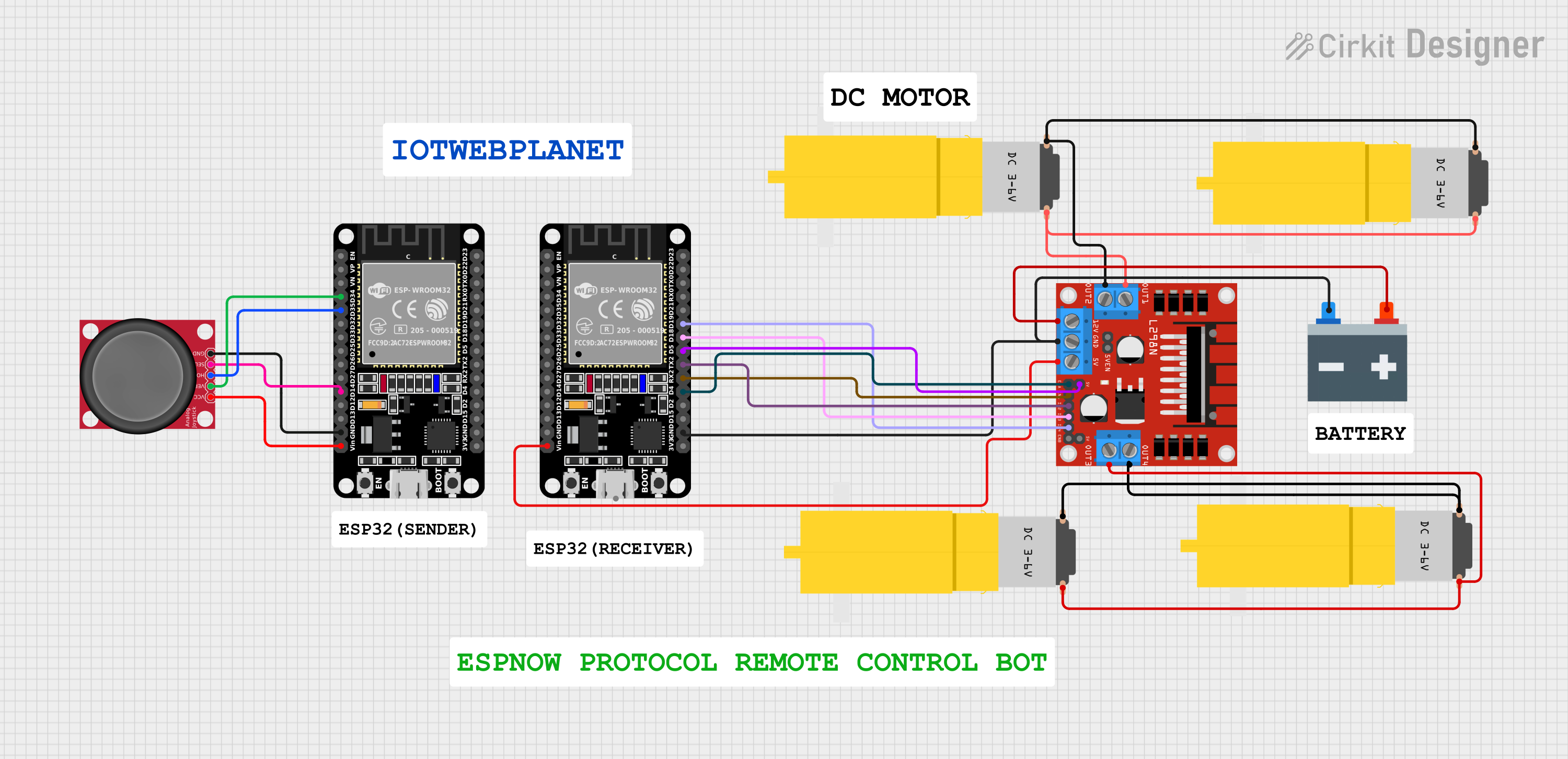
ESP32 Joystick Controlled Robot Using ESP-NOW Protocol & L298N Motor Driver

ESP32 Joystick Controlled Robot Using ESP-NOW Protocol & L298N Motor Driver

๐Ÿค– ESP32 Joystick Controlled Robot Using ESP-NOW Protocol & L298N Motor DriverWireless bot control w...
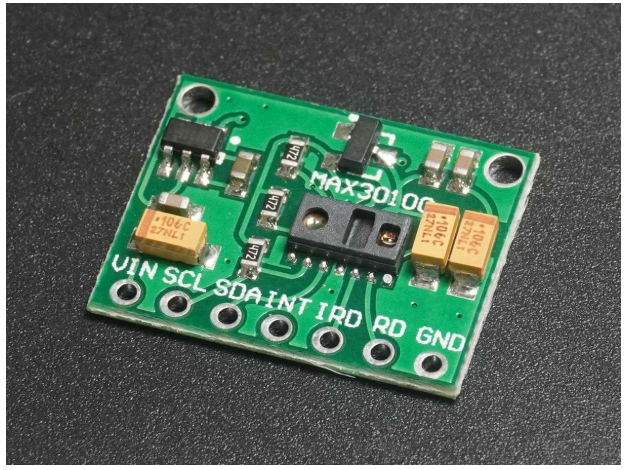
ESP32 with MAX30100 HEART SENSOR

ESP32 with MAX30100 HEART SENSOR

โค๏ธ Heart Rate & SpOโ‚‚ Sensor (MAX30100/MAX30102)๐Ÿ”ฌ Pulse Sensor | SpOโ‚‚ Monitor | Wearable Health Tech...